 NemtSync
 Driver for Android
Open this page on your Android phone, tap the button, then follow the pictures below.
Download for AndroidHow to install, step by step
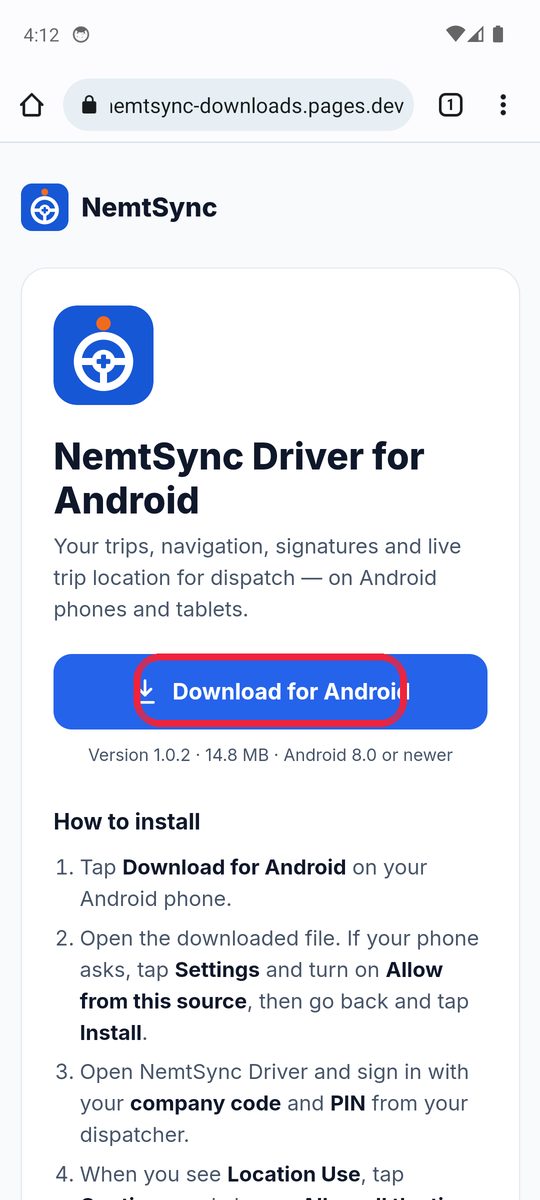
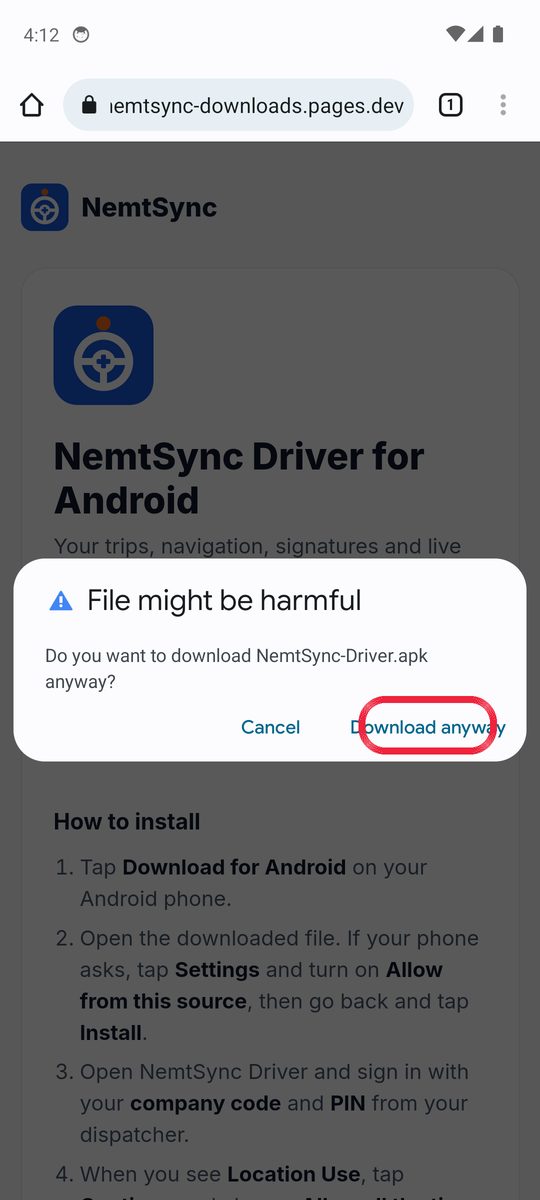
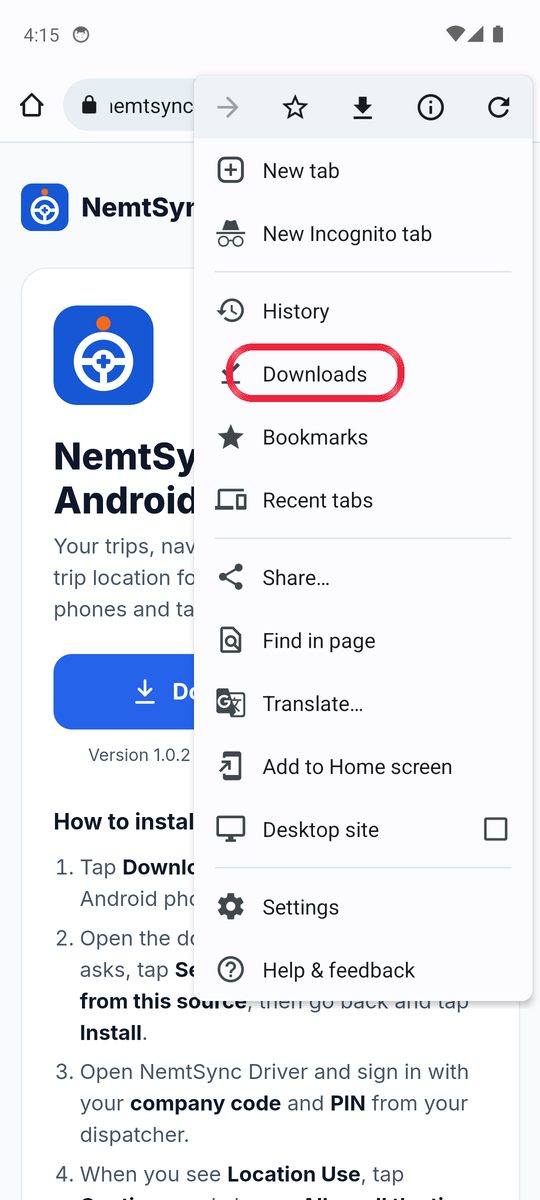
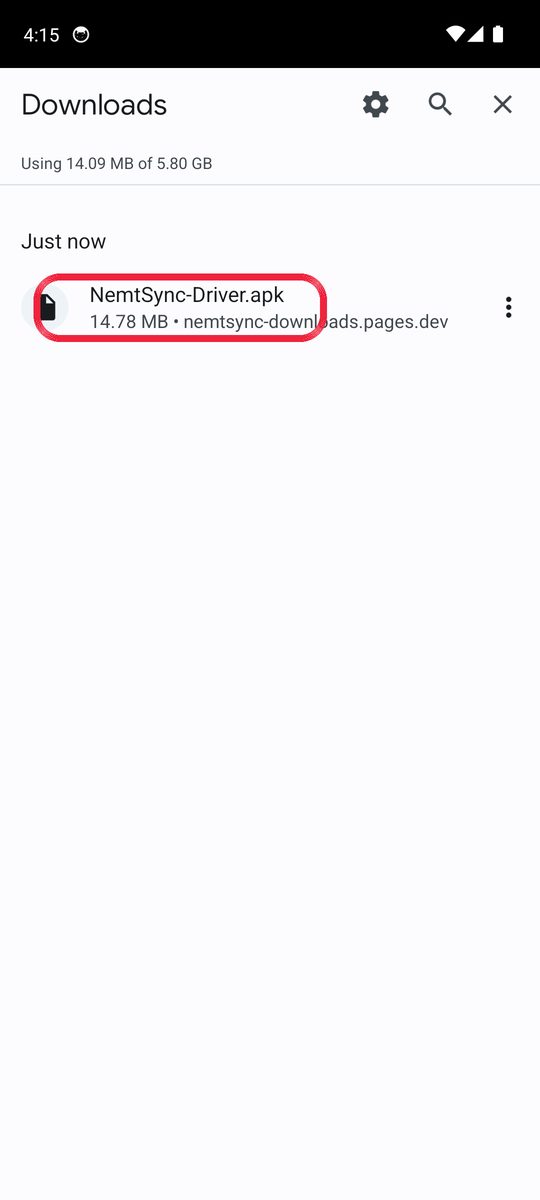
Tap the button circled in red in each picture. Your phone may look a little different.
Tap the blue Download for Android button.
A warning says “File might be harmful”. This is normal for apps outside the Play Store. Tap Download anyway.
When it finishes, tap the 3 dots ⋮ at the top right of Chrome, then tap Downloads.
If you see an Open button at the bottom of the screen, you can tap that instead and skip to step 5.
Tap NemtSync-Driver.apk.
Your phone says it can’t install yet. Tap Settings.
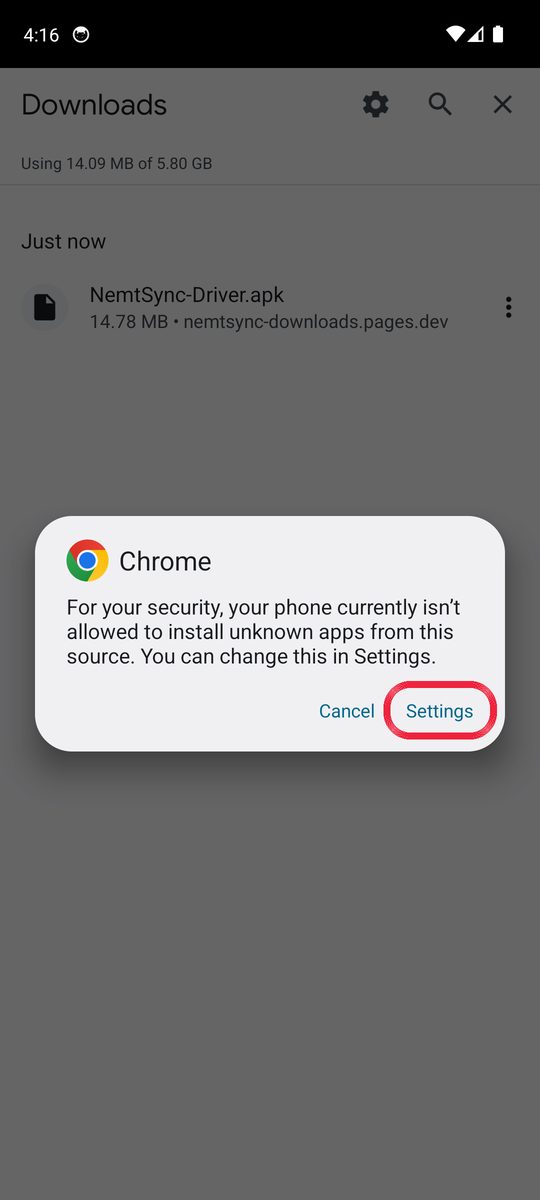
Turn ON the switch next to Allow from this source.
On Samsung phones this screen is called Install unknown apps. It works the same way.
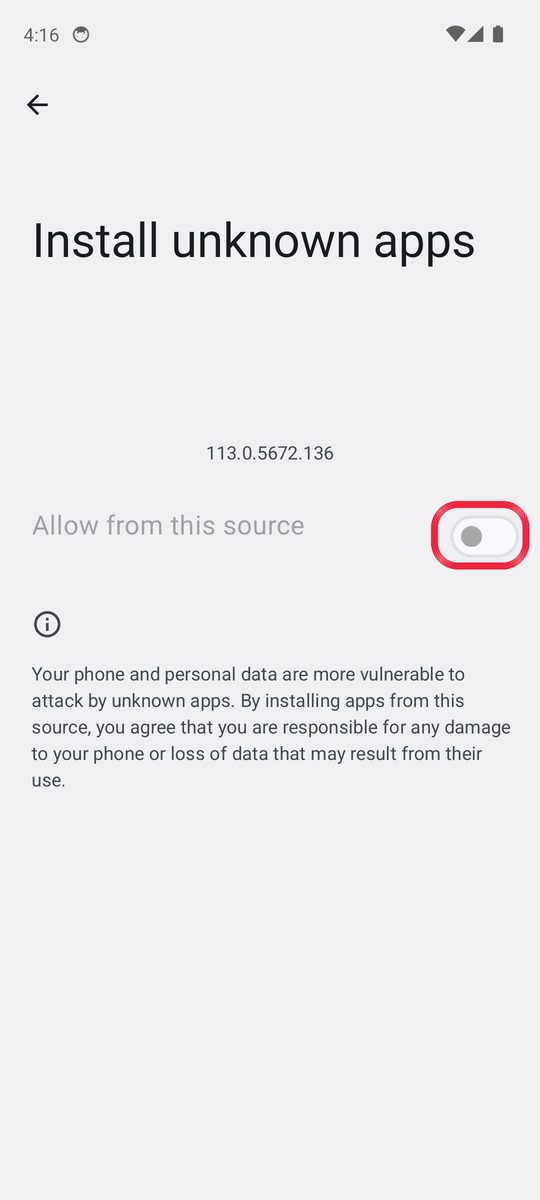
Tap Install.
If a Play Protect box appears, tap More details, then Install anyway.
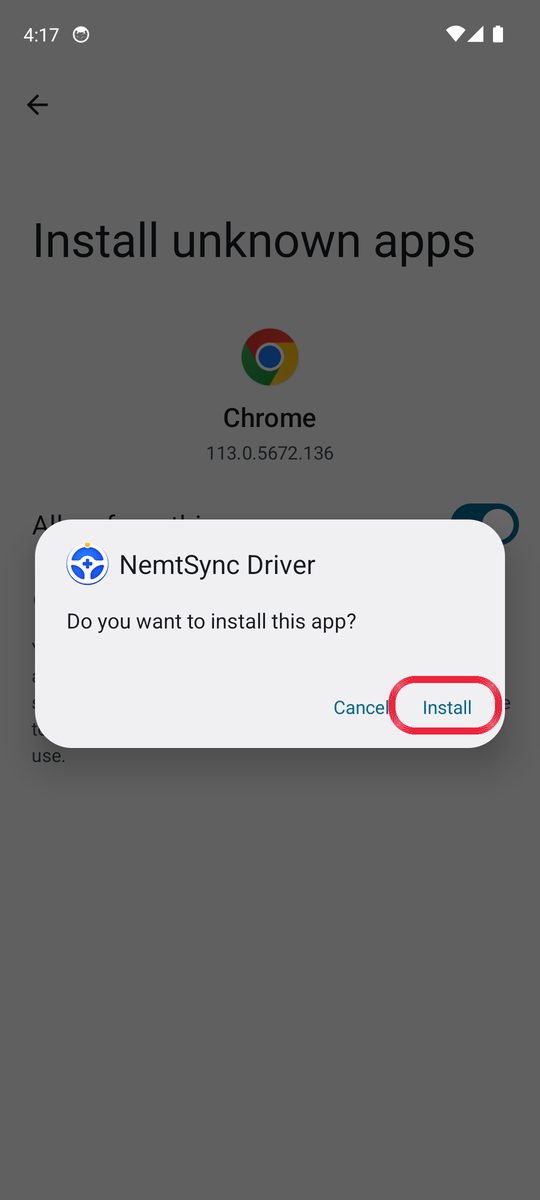
Tap Open.
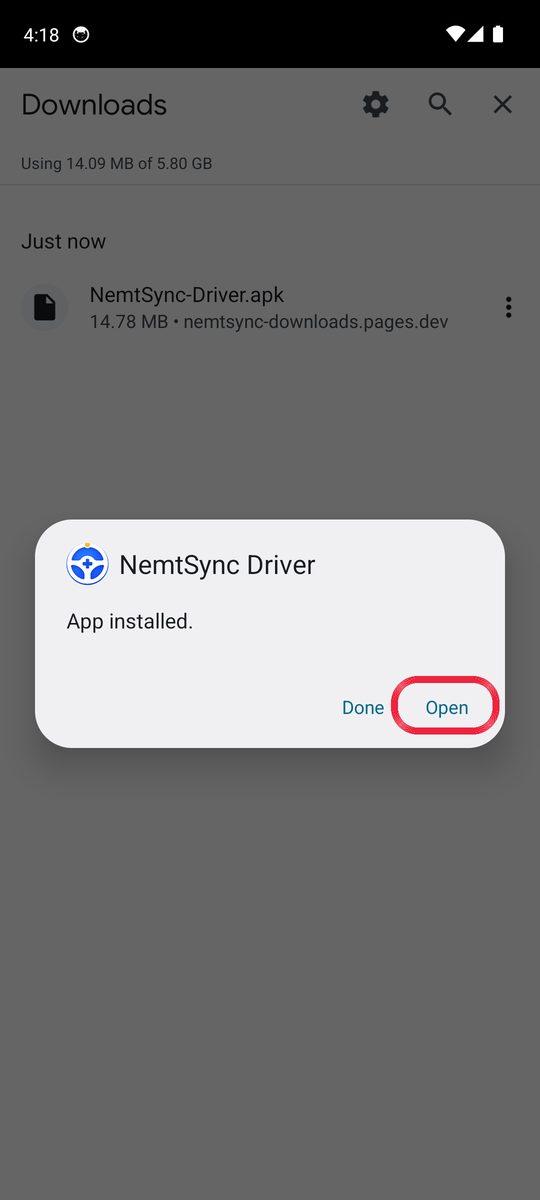
Type your company code, then your 4-digit PIN.
Your dispatcher gives you both.
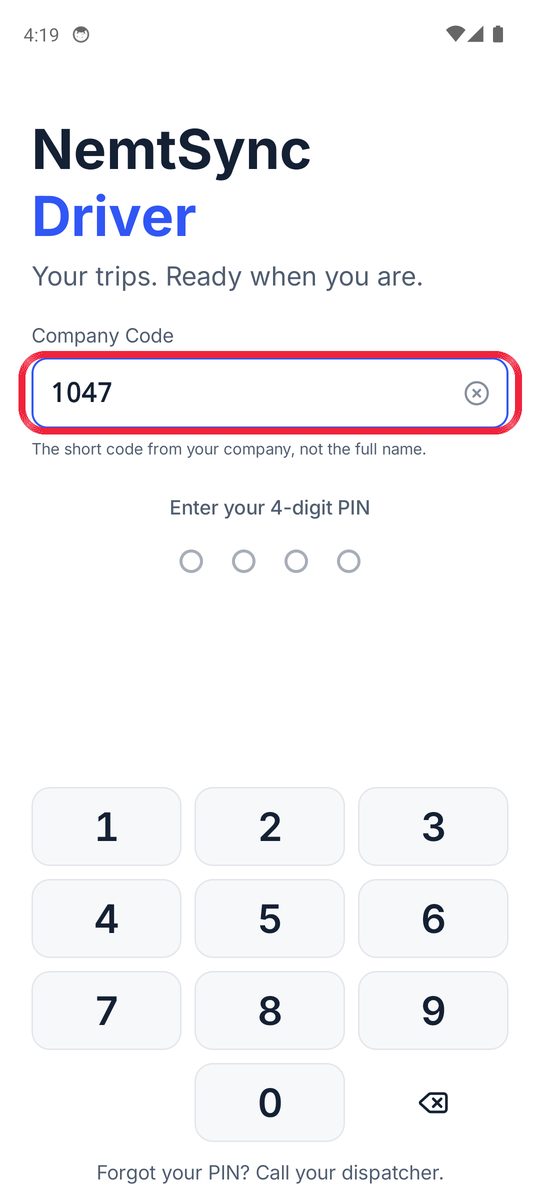
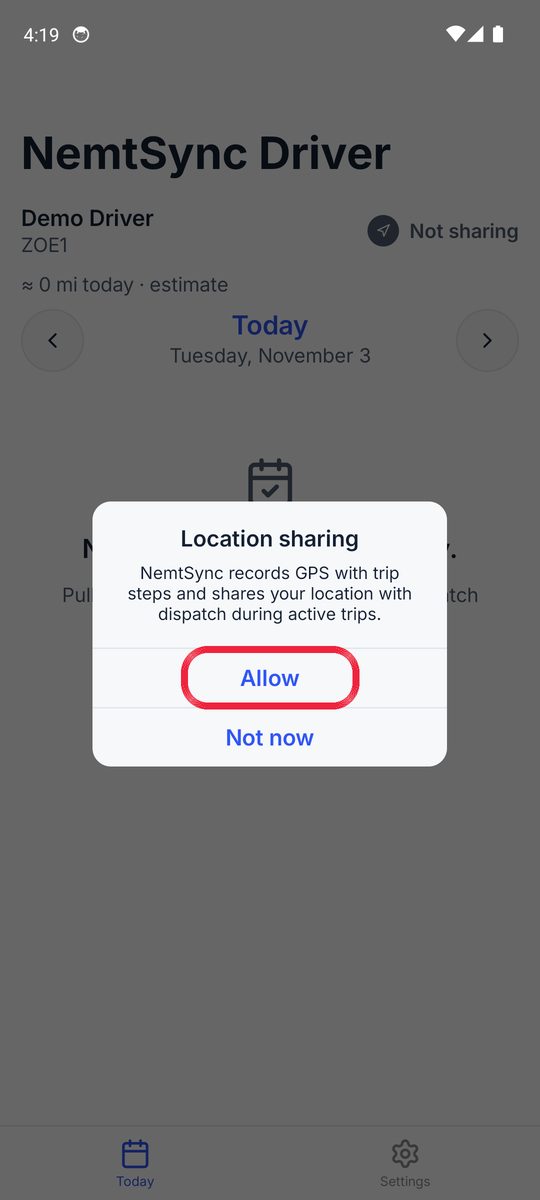
A box says Location sharing. Tap Allow.
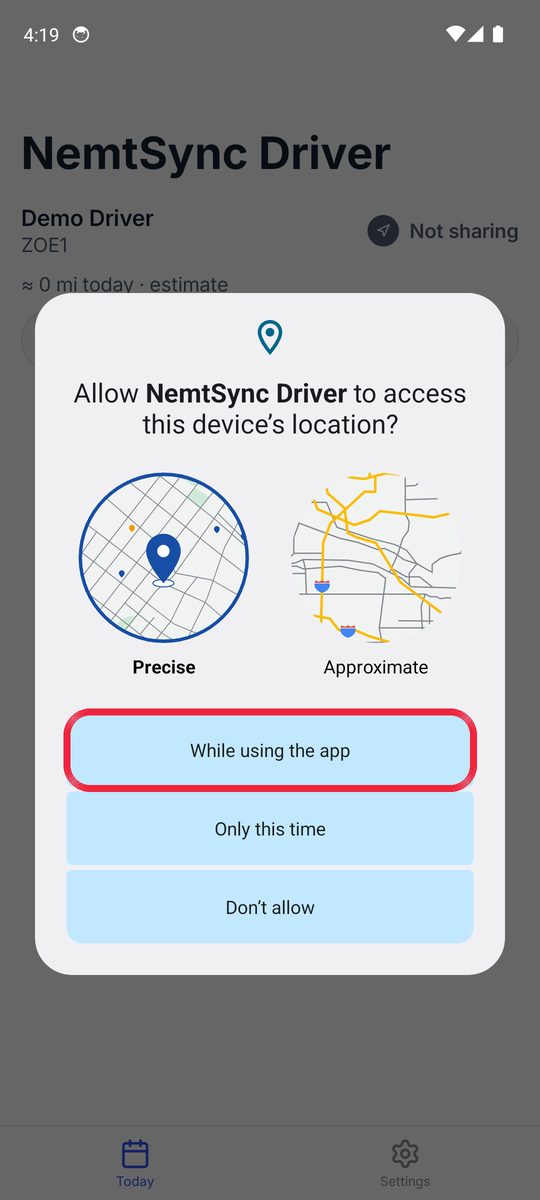
Tap While using the app.
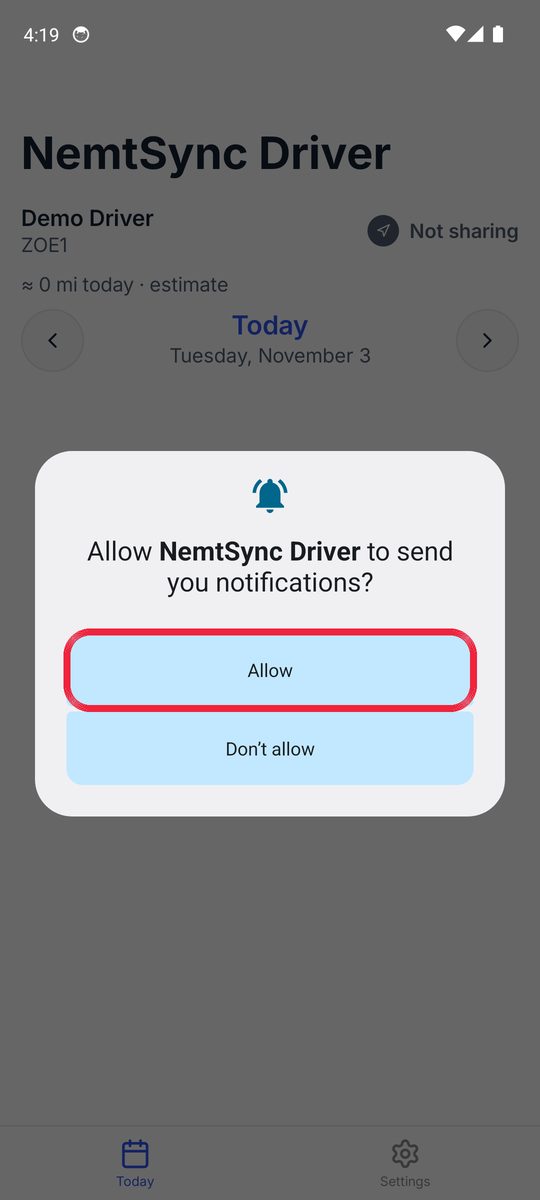
Tap Allow so the app can show trip notifications.
Read Location Use, then tap Continue.
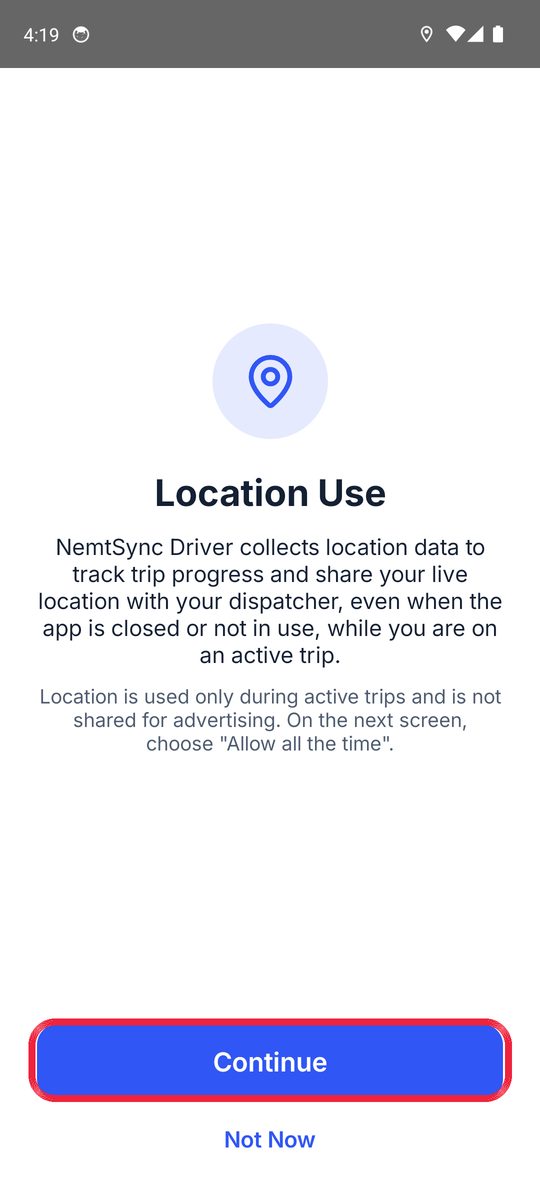
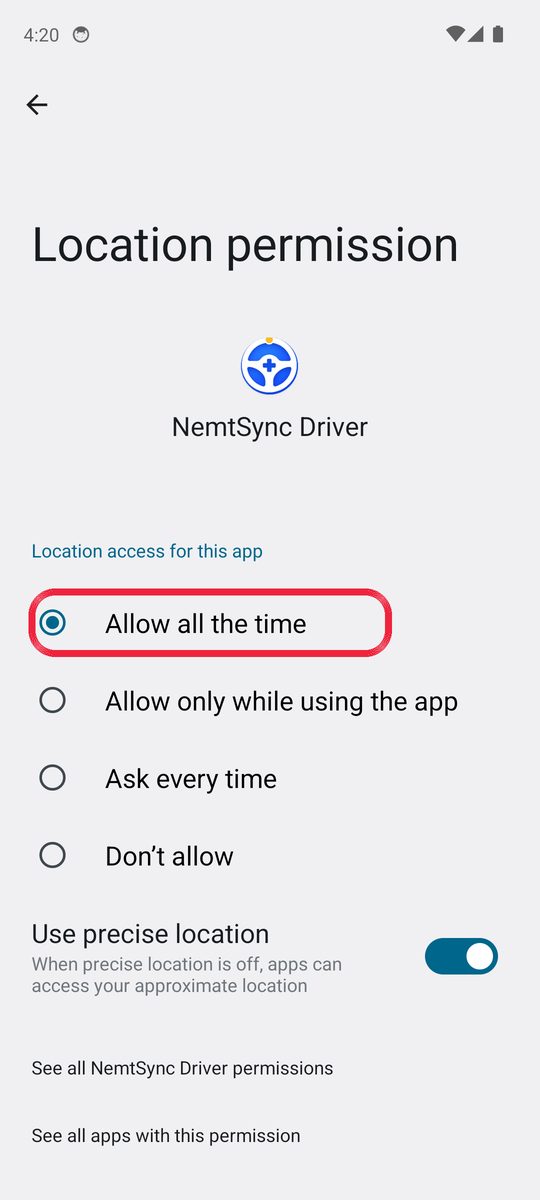
Choose Allow all the time. Then tap the back arrow ← at the top left.
This lets dispatch see you during a trip, even when your phone is locked. It only shares during active trips.
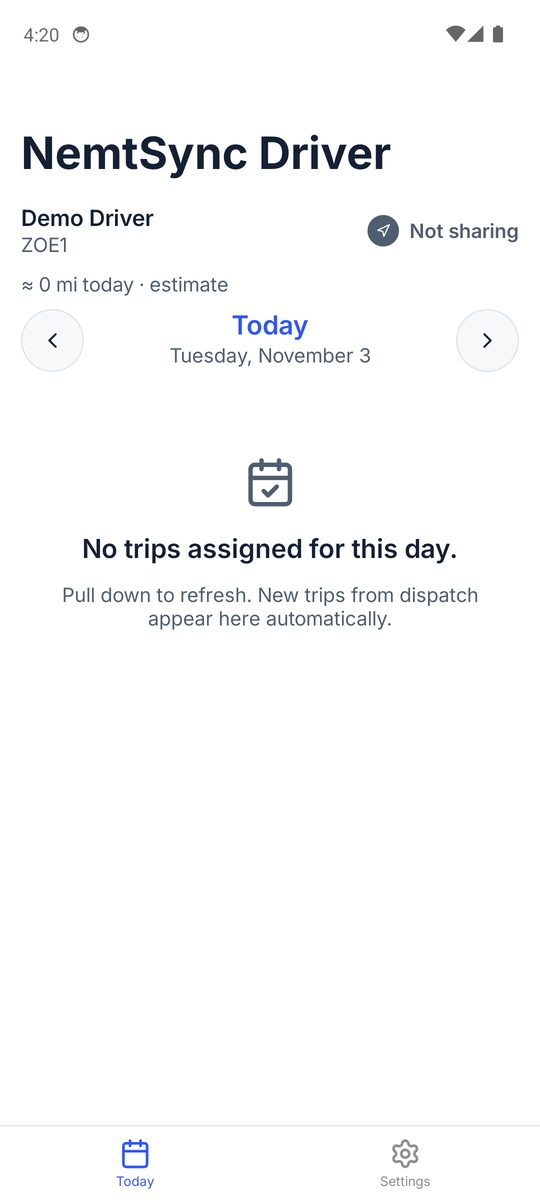
You’re done! Your trips for today show here.
When you start a trip, you’ll see “Trip in progress” at the top of your phone. That means dispatch can see you.
Need help?
- Forgot your PIN or company code? Call your dispatcher.
- Can’t find the file? Open the Files app and look in Downloads.
- Dispatch can’t see you? Open your phone Settings → Apps → NemtSync Driver → Permissions → Location and choose Allow all the time.
On iPhone? Get it on the App Store